
Aloha Browser - Private VPN
Aloha MobileProductivity
4.85.43K Reviews
- Version
- 8.9.0
- Installs
- 10.00M
- Age Rating
- Everyone
Screenshots
Our Review of Aloha Browser - Private VPN
 Analysis by Appyee
I see Aloha Browser as a useful second browser rather than an automatic replacement for the one you already use. Its appeal is the way it brings privacy-minded browsing, ad blocking and a VPN option into one mobile app, without making everyday web use feel like a technical project. That combination is convenient, but it also calls for sensible expectations: a browser’s privacy tools can reduce exposure, not make every online activity anonymous or guarantee that every site will work perfectly.
A browser that keeps the basics within reach
The first practical advantage is having browsing and a connection-protection option in the same place. When I want to open a page without switching between a browser and a separate privacy app, that setup is straightforward. Aloha Mobile develops the app, and its focus is clearly on making privacy tools approachable to ordinary phone users rather than asking them to configure a complicated stack of services.
That convenience matters most for short, unplanned sessions: checking a link from a message, looking up a product while out, or reading a page on a shared network. The browser is free to install, though optional in-app purchases range from $0.99 to $99.99 per item. I’d treat that as a reason to check what a purchase actually unlocks before paying, not as a reason to assume every feature requires a subscription.
Where the privacy pitch needs a little care
A VPN and private browsing are not interchangeable. A private tab is mainly about what the browser keeps in its local history, while a VPN changes how network traffic is routed. Neither one stops a website from recognizing an account you sign into, and a VPN does not make a careless download safe. I find Aloha most useful when I think of its tools as layers that can improve a browsing session, not as a blanket shield.
For anything involving sensitive work accounts, financial details or confidential files, I’d still follow the security rules of the organization or service involved. A browser can make access more comfortable on the go, but it does not replace a trusted device, strong account protection or careful judgment about links. That distinction is easy to overlook when privacy features are bundled neatly into one interface.
Who will get the most from it
I’d recommend trying it if you want a practical mobile browser with privacy features close at hand, especially if ads and pop-ups make ordinary browsing frustrating. It can also suit someone who wants a separate browser for casual searches, travel planning or links they would rather not mix into their main browser history. The Everyone content rating makes it broadly suitable for general audiences, though parents should still use their usual judgment about websites and downloads.
If you already rely on a browser with the extensions, saved passwords, synced tabs or work setup you need, switching everything over may create more friction than benefit. Aloha makes more sense as a focused alternative when its bundled tools solve a real annoyance. Its current version is 8.0.1, and the app has a 4.6 average from around 334,000 ratings, with more than 10 million installs; those figures suggest a well-established audience, but they do not tell you whether its workflow will fit your habits.
A useful routine for everyday browsing
Here’s a realistic way I’d use it: I’m waiting for a train, connected to public Wi-Fi, and need to check a restaurant menu and compare opening details. I can open the pages in Aloha, use the browser’s privacy tools when appropriate, and avoid clutter from many ads. If a page refuses to load correctly, I can try adjusting the ad-blocking behavior or open that one page in my usual browser instead of wasting time fighting it.
That last step is a worthwhile habit. Ad blocking can make pages calmer, but some sites depend on scripts or embedded elements that a blocker may interfere with. When a sign-in button, video or booking widget disappears, I would first test whether the blocker is responsible, then decide whether that site is trustworthy enough to allow. Keeping the exception narrow is better than turning protection off everywhere just to fix one page.
Hey there! So, I've been playing around with Aloha Browser - Private VPN for a while, and let me tell you, it's quite the hidden gem in the world of mobile browsing. If you're someone who's constantly on the lookout for a fast, secure, and private browsing experience, then stick around because this app might just be what you need.
First Impressions
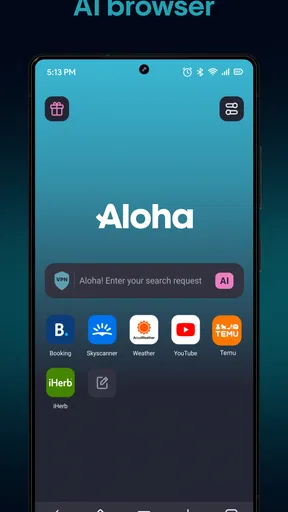
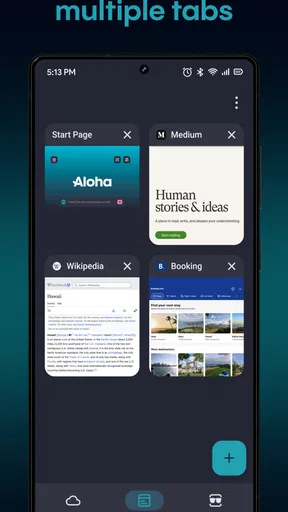
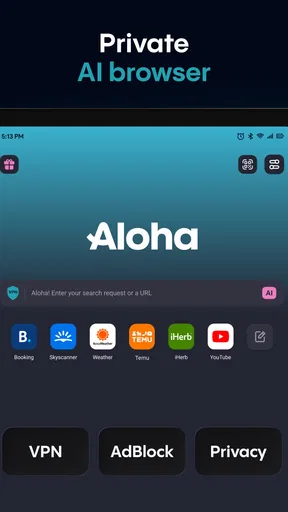
Right off the bat, Aloha Browser - Private VPN makes a solid first impression. The installation is a breeze, and it doesn’t take up much space on your device, which is always a plus. Opening the app for the first time, you're greeted with a clean and intuitive interface. It's user-friendly, and everything you need is just a tap away. No complicated menus or hidden features – just straightforward browsing.
Security and Privacy Features
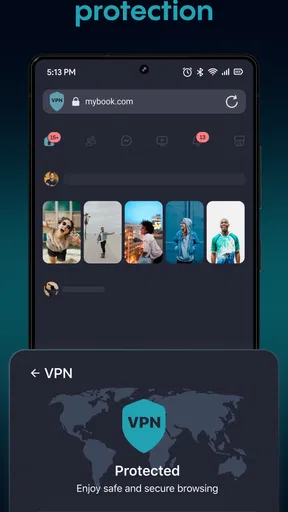
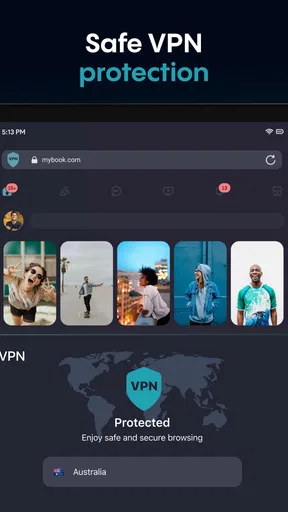
Now, let's dive into what makes Aloha stand out: its security and privacy features. In a world where online privacy is becoming a major concern, having a built-in VPN is a game-changer. With Aloha, you don't need to download any additional apps to secure your connection. The VPN is integrated right into the browser, ensuring that your online activity is encrypted and safe from prying eyes.
What’s more, the VPN is unlimited and free, which is quite rare to find. This means you can browse without worrying about data limits or subscriptions. Whether you're accessing geo-restricted content or just want to keep your data private, Aloha has got your back.
User Experience
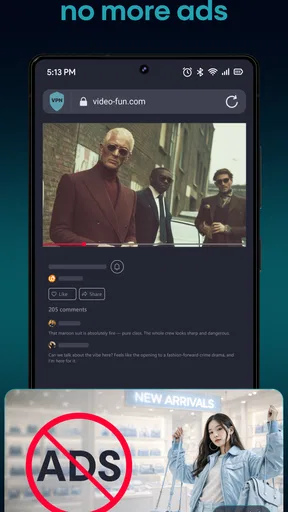
A fast, smooth browsing experience is crucial, and Aloha delivers on this front. The browser loads pages quickly, and I didn't experience any lag or crashes during my time using it. It also blocks ads effectively, which not only speeds up browsing but also makes it more enjoyable. No more annoying pop-ups or banners cluttering your screen!
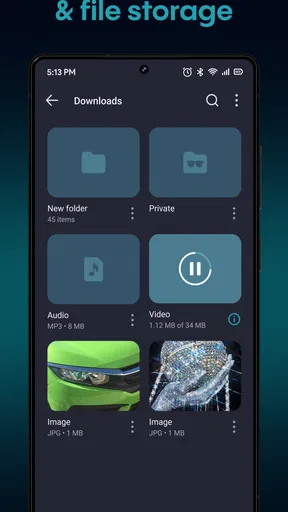
Another feature I appreciate is the download manager. It’s surprisingly powerful, allowing you to download videos and other media directly to your device. You can even play them offline later, which is perfect for long commutes or flights without Wi-Fi.
Additional Features
Aloha isn’t just about privacy and speed; it’s packed with other useful features. One of my favorites is the VR player. It’s not every day you see a browser with built-in VR capabilities, right? If you have a VR headset, you can watch videos in VR mode directly from the browser. It’s a fun addition and adds to the app's versatility.
The app also offers a night mode, which is easy on the eyes, especially when browsing in the dark. This small touch shows that Aloha is thoughtful about user comfort and experience.
Room for Improvement
While Aloha is quite impressive, it's not without its quirks. Occasionally, the VPN connection can be a bit slow, depending on the server location. It’s not a deal-breaker, but it’s something to be aware of if you’re relying heavily on the VPN for streaming or other data-heavy activities.
Moreover, while the ad-blocker is effective, it sometimes blocks content that isn’t ads. It’s a minor inconvenience, but occasionally you might have to tweak settings or whitelist certain sites.
Final Thoughts
All in all, Aloha Browser - Private VPN is a solid choice for anyone looking to enhance their mobile browsing experience. With its focus on privacy, speed, and user-friendly features, it’s a compelling alternative to more mainstream browsers. Give it a try, and you might find yourself wondering how you ever managed without it. Happy browsing!
How it compares with familiar browser choices
Compared with a standard mobile browser, Aloha’s strongest distinction is the convenience of keeping privacy-oriented tools alongside everyday browsing. A separate VPN app may offer a dedicated connection workflow, while a mainstream browser may be a better fit if your priority is deep integration with an existing account, synced history or a familiar extension setup. I would choose based on the job: Aloha for a contained, privacy-conscious browsing session; the established browser for continuity and the features I already depend on.
That split also avoids a common all-or-nothing decision. You do not have to move bookmarks, logins and every browsing habit at once to see whether Aloha helps. Try it for a specific task first, such as reading on public Wi-Fi or opening ad-heavy pages, then keep using it only if that workflow feels better. The best browser is the one that removes friction without creating new chores.
Small habits that make the tools more useful
I’d keep the VPN decision tied to context rather than leaving it as a vague promise of safety. When I’m browsing casually on a network I don’t control, a protected connection may be useful; when a site behaves strangely, I’d compare the page with and without the VPN before assuming the site is broken. Some services react differently to network routing, so a quick test can save time and help identify whether the issue is the connection or the page itself.
The download manager also benefits from a little planning. Before saving a video or other media for a journey, I’d check that the file actually opens offline while I still have a connection. That simple check prevents the frustrating discovery that a page only streamed the content rather than leaving a usable local copy. I’d also be selective about downloads: convenient access does not remove the need to trust the source or respect the content’s terms.
Night mode is most helpful as a comfort setting, not a promise that every website will display perfectly in a darker palette. If a page’s colors become hard to read, switching back for that session is a reasonable trade-off. Likewise, the VR player is a bonus for people who already have a compatible headset and want to view suitable video in that format; it is not a reason on its own to choose a browser if VR is not part of your routine.
When another choice is better
I would skip Aloha as my primary browser if my daily work depends on a tightly managed set of browser extensions, shared profiles or a specific account-based sync routine. Moving between apps can mean extra steps, and the convenience of built-in tools does not automatically outweigh a mature setup that already works. It is also not the right answer when someone expects a VPN to guarantee access to every streaming service or to make all online activity untraceable; network tools can encounter compatibility and speed trade-offs.
For a user who mainly wants a simple browser and never encounters intrusive ads or a need for a separate privacy workflow, the additional controls may be unnecessary. On the other hand, people who regularly use public connections, dislike cluttered pages, or want a dedicated place for casual browsing have a clearer reason to test it. The app is free, but the presence of optional purchases means I would review any paid prompt carefully and decide whether its particular benefit matters to me rather than buying by reflex.
What to expect before making it your regular browser
Aloha is a mobile productivity app built around browsing, and it is rated for Everyone. It was released on September 25, 2019, and its popularity is reflected in roughly 5,000 written reviews as well as its large install base. I read those figures as evidence that many people have tried it, not as a guarantee that every device, website or personal privacy requirement will be a perfect match.
One practical question is whether you can use it without changing your whole setup. Yes: the easiest approach is to keep your current browser and use Aloha for the sessions where its bundled tools are useful. Another is whether ad blocking might disrupt a page; it can, so treat a missing element as a troubleshooting clue and adjust only for the site you need. If a connection feels slow, try the same task without the VPN and compare before deciding whether the trade-off is acceptable for that activity.
And if you are wondering whether the download and VR features are essential, I would say no. They are useful extras for people who have a real offline or headset use case, while the central appeal remains having a browser with privacy tools close at hand. That makes the app easier to judge: start with your own browsing routine, identify one annoyance it could solve, and see whether it does so without disrupting the rest of your day.
My verdict
My recommendation is measured but positive: Aloha is worth trying as a secondary browser if you want ad blocking and privacy-oriented browsing in a convenient mobile package. Its strongest case is not that it replaces every browser or solves every security concern; it is that it can make particular everyday sessions calmer and more considered. Keep your expectations realistic, use its tools deliberately, and switch to another browser when compatibility or your existing workflow makes that the smarter choice.
Verdict
Strengths of Aloha Browser - Private VPN
- Integrated VPN for enhanced privacy.
- Ad-free browsing experience.
- Offline reading available.
- Fast and intuitive user interface.
- Supports VR videos and downloads.
Limitations of Aloha Browser - Private VPN
- Limited VPN servers in free version.
- Occasional crashes reported by users.
- Some features require premium upgrade.
- No desktop version available.
- Limited customer support options.
Similar Picks in This Category
View All
Google Calendar
Google LLC4.6

Google Drive
Google LLC4.3

Google Assistant
Google LLC3.9

Microsoft OneDrive
Microsoft Corporation4.6

Samsung Calendar
Samsung Electronics Co., Ltd.4.1

Microsoft OneNote: Save Notes
Microsoft Corporation4.6
Frequently Asked Questions
What features make Aloha Browser stand out from other browsers?
Aloha Browser offers a unique combination of features that make it stand out. It includes a built-in VPN for private browsing, ad-blocking capabilities, and a download manager that supports various media file types. Additionally, it provides a VR player and is designed to prioritize user privacy and security.
How does the built-in VPN improve my browsing experience?
The built-in VPN in Aloha Browser enhances your browsing experience by providing a secure and private connection. It encrypts your internet traffic, allowing you to access websites safely and anonymously, even on public Wi-Fi networks. This feature helps bypass geo-restrictions and protects your data from prying eyes.
Is Aloha Browser free to use, and are there any premium features?
Aloha Browser is free to download and use, offering a wide range of features at no cost. However, it also offers a premium version, Aloha Premium, which includes additional benefits such as unlimited VPN usage, automatic video downloads, and advanced customization options for an enhanced user experience.
Can Aloha Browser's ad blocker be customized to suit my preferences?
Yes, Aloha Browser's ad blocker can be customized to fit your browsing needs. It effectively blocks intrusive ads, improving page load times and reducing data usage. Users can adjust settings to block specific types of ads and enhance their browsing experience by focusing only on desired content.
What types of files can I download using Aloha Browser's download manager?
Aloha Browser's download manager is versatile, allowing users to download various types of media files, including videos, music, and documents. It supports multiple formats and offers a user-friendly interface to manage downloads efficiently. The built-in media player also enables seamless playback of downloaded content directly within the app.
